
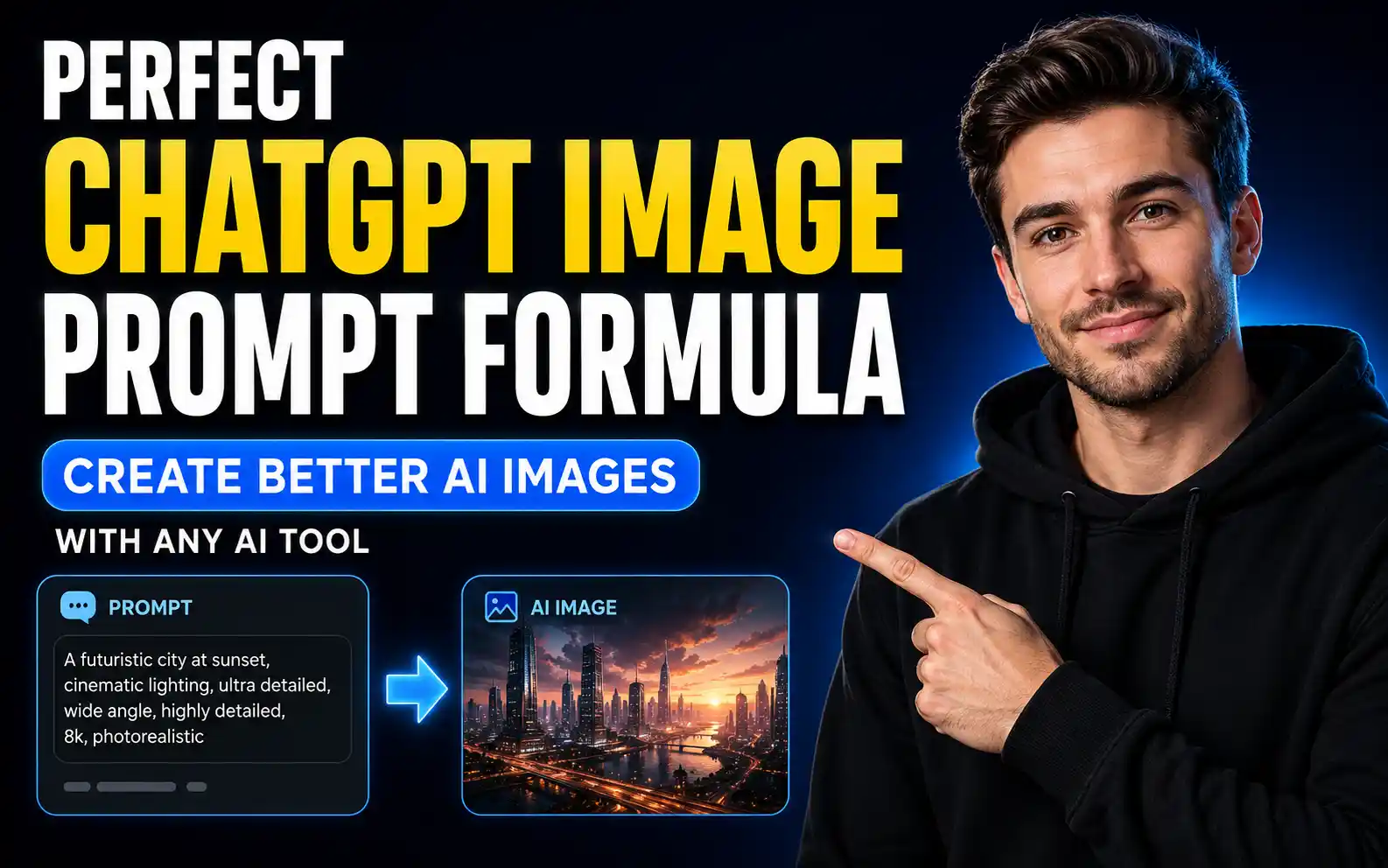
A complete guide to writing better AI image prompts using subject, context, composition, style, color, lighting, mood, and technical details.
Perfect ChatGPT Image Prompt Formula: How to Create Better AI Images With Any AI Image Tool
Table of Contents
- Introduction
- What Makes a Great AI Image Prompt?
- The Perfect ChatGPT Image Prompt Formula
- 1. Subject: What Is the Image About?
- Weak Subject Prompt
- Better Subject Prompt
- How to Describe the Subject Better
- Example
- 2. Context: Where and When Is the Scene Set?
- Basic Context Prompt
- Better Context Prompt
- Why Context Matters
- 3. Composition: How Is the Image Arranged?
- Common Composition Terms
- Example
- Why Composition Is Important
- 4. Style: What Should the Image Look Like?
- Basic Style Prompt
- Better Style Prompt
- Can You Combine Styles?
- 5. Color Palette: What Colors Should Be Used?
- Basic Color Prompt
- Better Color Prompt
- Why Color Palette Matters
- 6. Lighting: How Should the Image Be Lit?
- Common Lighting Terms
- Example
- Why Lighting Changes Everything
- 7. Mood or Atmosphere: What Should the Viewer Feel?
- Basic Mood Prompt
- Better Mood Prompt
- Why Mood Matters
- 8. Technical Details: Size, Ratio, Lens, and Camera Settings
- Useful Technical Terms
- Example
- Complete AI Image Prompt Example
- Full Prompt
- Basic Prompt vs Complete Prompt
- Basic Prompt
- Complete Prompt
- Reusable ChatGPT Image Prompt Template
- Example Filled Template
- Short Prompt Formula
- Example
- Advanced Prompt Formula
- Example
- Common AI Image Prompt Mistakes
- Best Practices for Better ChatGPT Images
- Best Use Cases for This Prompt Formula
- Final Thoughts
Introduction
Creating high-quality AI images is not only about using a powerful AI image generator. The real difference comes from how you write your prompt.
A weak prompt gives the AI very little direction. A strong prompt gives the AI a clear visual instruction, including what the image should show, where it takes place, how it should be composed, what style it should use, what colors should appear, what lighting should be used, and what mood the final image should create.
Whether you use ChatGPT, Midjourney, Gemini, DALL-E, Nano Banana, or any other AI image tool, the same basic prompt formula can help you create better results.
In this guide, you will learn the perfect AI image prompt formula step by step.
What Makes a Great AI Image Prompt?
A great AI image prompt clearly explains what you want the AI to create.
The best prompts usually include these core elements:
- Subject
- Context
- Composition
- Style
- Color palette
- Lighting
- Mood or atmosphere
- Technical details
When these elements are combined properly, your image becomes more specific, more professional, and closer to your original idea.
A simple prompt like:
“Create an image of a clown.”
may create a usable image, but it gives the AI too much freedom.
A stronger prompt like:
“A middle-aged clown with very curly blonde hair, dressed in blue, with a surprised expression, inside a Victorian library, seen from above, Renaissance oil painting style, pastel tones, dramatic lighting, dreamlike atmosphere, square image.”
gives the AI a much clearer creative direction.
The Perfect ChatGPT Image Prompt Formula
Use this simple formula:
Subject + Context + Composition + Style + Color Palette + Lighting + Mood + Technical Details
This formula works because it covers both the main idea and the visual direction.
Let’s break down each element in detail.
1. Subject: What Is the Image About?
The subject is the main focus of your image.
It can be:
- A person
- An animal
- A product
- A place
- An object
- A character
- A scene
The more specific you are, the better the result will usually be.
Weak Subject Prompt
“Create an image of a clown.”
This prompt may work, but the AI has to guess many details.
It does not know:
- The clown’s age
- Hair color
- Clothing
- Expression
- Pose
- Style
- Mood
Better Subject Prompt
“Create an image of a middle-aged clown with very curly blonde hair, dressed in blue, with a surprised expression.”
This gives the AI a much clearer target.
How to Describe the Subject Better
For human subjects, describe details such as:
- Age
- Skin tone
- Hairstyle
- Clothing
- Pose
- Expression
- Body type
- Accessories
For objects, describe:
- Color
- Shape
- Size
- Texture
- Material
- Condition
- Purpose
Example
Instead of writing:
“A watch.”
Write:
“A luxury stainless steel wristwatch with a black dial, polished metal bracelet, sharp reflections, and visible craftsmanship details.”
Specific subject details make your AI image more controlled and professional.
2. Context: Where and When Is the Scene Set?
Context explains the setting or environment of the image.
It answers questions like:
- Where is the subject?
- What is happening around it?
- What time period is it?
- What background details matter?
- What kind of world does the image belong to?
Basic Context Prompt
“Create an image of a horse.”
This is too broad.
Better Context Prompt
“Create an image of a horse inside a Victorian library, surrounded by old bookshelves, antique wooden desks, and people reading in the background.”
This gives the image a much stronger story.
Why Context Matters
Context makes your image feel more complete.
A subject without context may look generic. A subject with a strong setting can feel cinematic, realistic, funny, surreal, or professional.
Context is especially important for:
- Storytelling images
- Blog thumbnails
- Concept art
- Product ads
- Social media visuals
- Fantasy scenes
- Historical scenes
- Editorial images
3. Composition: How Is the Image Arranged?
Composition controls how different elements are placed inside the image.
It includes:
- Camera angle
- Framing
- Foreground
- Background
- Subject position
- Distance from subject
- Layout
- Viewpoint
Common Composition Terms
You can use terms like:
- Centered portrait
- Wide shot
- Close-up
- Bird’s-eye view
- Overhead view
- Low-angle shot
- High-angle shot
- Rule of thirds
- Symmetrical layout
- Cinematic framing
- Foreground subject
- Background details
Example
Basic prompt:
“Create an image of a medieval market.”
Better prompt:
“Create a bird’s-eye view of a medieval market with colorful tents, busy streets, merchants, carts, and people moving through narrow pathways.”
By changing the composition, the entire image changes.
Why Composition Is Important
Composition tells the AI how the viewer should see the scene.
For example:
- Bird’s-eye view makes a scene feel large and organized.
- Close-up makes the subject feel personal.
- Low-angle makes a person or object feel powerful.
- Wide shot makes the environment more important.
- Centered composition makes the subject feel clear and balanced.
Good composition makes the final image more intentional.
4. Style: What Should the Image Look Like?
Style defines the visual medium or artistic direction.
You can ask for:
- Realistic photography
- Hyperrealistic photography
- Cartoon style
- Oil painting
- Watercolor painting
- 3D render
- Comic book style
- Anime style
- Vintage poster
- Digital illustration
- Cinematic still
- Editorial photography
- Product photography
Basic Style Prompt
“Create a photograph of a Dalmatian.”
Better Style Prompt
“Create a hyperrealistic photograph of a Dalmatian with sharp fur detail, natural lighting, and realistic depth of field.”
The style changes the final result dramatically.
Can You Combine Styles?
Yes, you can combine styles, but keep the instruction clear.
Examples:
- “Cinematic fantasy illustration”
- “Hyperrealistic product photography”
- “Watercolor storybook illustration”
- “Vintage travel poster style”
- “3D animated character style”
- “Editorial fashion photography”
Avoid combining too many unrelated styles in one prompt because it may confuse the AI.
5. Color Palette: What Colors Should Be Used?
Color palette controls the visual tone of your image.
You can use general color instructions like:
- Neon colors
- Pastel tones
- Muted earth tones
- Monochrome
- Warm colors
- Cool colors
- Black and gold
- Blue and orange
- Red and white
- Soft beige palette
You can also use exact colors or hex codes when needed.
Basic Color Prompt
“Create a blue fishbowl on a yellow table.”
The AI will choose any blue and any yellow.
Better Color Prompt
“Create a fishbowl in deep cobalt blue on a warm mustard-yellow table, clean studio lighting, minimal background.”
This gives better color control.
Why Color Palette Matters
Colors affect how the image feels.
For example:
- Pastel colors feel soft and friendly.
- Neon colors feel futuristic and energetic.
- Earth tones feel natural and calm.
- Monochrome feels dramatic or elegant.
- Gold and black feel luxurious.
- Blue and white feel clean and professional.
Use color palette intentionally based on your goal.
6. Lighting: How Should the Image Be Lit?
Lighting is one of the most important parts of any AI image prompt.
Lighting controls:
- Mood
- Realism
- Shadows
- Depth
- Focus
- Texture
- Cinematic quality
Common Lighting Terms
You can use:
- Soft lighting
- Harsh shadows
- Golden hour
- Backlit
- Studio lighting
- Dramatic side lighting
- Soft morning light
- Neon lighting
- Candlelight
- Moonlight
- Natural window light
- Diffused light
- Rim lighting
Example
Prompt 1:
“Create an astronaut floating under moonlight.”
Prompt 2:
“Create a backlit astronaut floating in space, glowing rim light around the suit, dramatic shadows, cinematic atmosphere.”
The second prompt gives the AI a much clearer lighting direction.
Why Lighting Changes Everything
The same subject can look completely different depending on lighting.
For example:
- Soft light makes portraits feel gentle.
- Dramatic side light makes images feel cinematic.
- Backlight creates a glowing outline.
- Golden hour makes scenes warm and beautiful.
- Harsh shadows create tension.
- Studio lighting makes product images look clean and commercial.
When your AI image looks flat, lighting is often the missing detail.
7. Mood or Atmosphere: What Should the Viewer Feel?
Mood defines the emotional tone of the image.
You can describe the mood using words like:
- Peaceful
- Chaotic
- Mysterious
- Eerie
- Romantic
- Dreamlike
- Cozy
- Futuristic
- Luxurious
- Dark
- Playful
- Magical
- Dramatic
- Minimal
- Cinematic
Basic Mood Prompt
“Create an image of a lonely cabin in the woods.”
This could become cozy, scary, peaceful, or realistic depending on the AI’s guess.
Better Mood Prompt
“Create an image of a lonely cabin in the woods during snowfall, with an eerie and dreamlike atmosphere.”
Now the AI understands the emotional direction.
Why Mood Matters
Mood helps the image communicate a feeling.
For example:
- A peaceful mood works well for wellness brands.
- A mysterious mood works well for fantasy or horror.
- A luxurious mood works well for premium products.
- A playful mood works well for children’s content.
- A chaotic mood works well for action or dramatic scenes.
Mood turns a basic picture into a visual story.
8. Technical Details: Size, Ratio, Lens, and Camera Settings
Technical details are optional, but they can improve your results when you need a specific output.
You can include:
- Aspect ratio
- Image size
- Camera lens
- Depth of field
- Focus style
- Resolution
- Format
- Camera angle
- Photography type
Useful Technical Terms
- Square image
- 16:9 aspect ratio
- 4:5 portrait ratio
- 9:16 vertical format
- 85mm lens
- Wide-angle lens
- Macro lens
- Shallow depth of field
- Sharp focus
- Soft focus background
- High resolution
- Product photography
- Editorial photo
Example
“Create a cinematic portrait, 85mm lens, shallow depth of field, soft background blur, 4:5 aspect ratio.”
Technical details help when the image will be used for websites, thumbnails, ads, social media, or product pages.
Complete AI Image Prompt Example
Now let’s combine all elements into one complete prompt.
Full Prompt
“Create an image of a middle-aged clown with very curly blonde hair, dressed in a blue costume, with a surprised expression, inside a Victorian library filled with old bookshelves and antique wooden desks, seen from above in a bird’s-eye view composition, Renaissance oil painting style, pastel tones, dramatic lighting, dreamlike atmosphere, square image.”
This prompt includes:
- Subject: middle-aged clown
- Context: Victorian library
- Composition: seen from above
- Style: Renaissance oil painting
- Color palette: pastel tones
- Lighting: dramatic lighting
- Mood: dreamlike atmosphere
- Technical detail: square image
The result will be much more specific than simply asking for “a clown.”
Basic Prompt vs Complete Prompt
Basic Prompt
“Create an image of a clown.”
Complete Prompt
“Create an image of a middle-aged clown with very curly blonde hair, dressed in a blue costume, with a surprised expression, inside a Victorian library filled with old bookshelves and antique wooden desks, seen from above in a bird’s-eye view composition, Renaissance oil painting style, pastel tones, dramatic lighting, dreamlike atmosphere, square image.”
The complete prompt gives the AI a clear visual target and reduces random results.
Reusable ChatGPT Image Prompt Template
Use this template whenever you want to create better AI images:
“Create an image of [SUBJECT] with [SUBJECT DETAILS], located in [CONTEXT / ENVIRONMENT], using [COMPOSITION / CAMERA ANGLE]. The image should be in [STYLE / MEDIUM], with [COLOR PALETTE], [LIGHTING], and a [MOOD / ATMOSPHERE]. Use [TECHNICAL DETAILS / ASPECT RATIO / LENS / QUALITY].”
Example Filled Template
“Create an image of a young woman with short black hair wearing a red winter coat, standing on a snowy city street, using a centered portrait composition. The image should be in cinematic photography style, with muted blue and red tones, soft snowfall lighting, and a peaceful romantic atmosphere. Use an 85mm lens, shallow depth of field, and 4:5 aspect ratio.”
Short Prompt Formula
For quick results, use this shorter version:
Subject + Context + Style + Lighting + Mood + Aspect Ratio
Example
“A golden retriever sitting beside a mountain lake at sunrise, realistic photography style, soft golden light, peaceful atmosphere, 16:9.”
This works well when you do not need extreme control.
Advanced Prompt Formula
For more professional results, use the full formula:
Subject + Subject Details + Action + Context + Background + Composition + Style + Color Palette + Lighting + Mood + Technical Details + Negative Instructions
Example
“Create a hyperrealistic product photo of a luxury black smartwatch with a polished metal frame, placed on dark marble with subtle reflections. Use a centered composition, macro lens, sharp focus, soft studio lighting, black and gold color palette, premium luxury mood, 1:1 aspect ratio. Avoid clutter, text, extra objects, and blurry details.”
This formula is useful for product ads, thumbnails, posters, and commercial visuals.
Common AI Image Prompt Mistakes
Avoid these common mistakes:
- Writing prompts that are too short
- Not describing the subject clearly
- Forgetting the background or setting
- Not specifying composition
- Using vague style words
- Forgetting lighting
- Not choosing a mood
- Ignoring aspect ratio
- Adding too many conflicting styles
- Asking for too many things at once
A clear prompt is better than a long but confusing prompt.
Best Practices for Better ChatGPT Images
To create better results, follow these tips:
- Be specific about the subject.
- Add context and environment.
- Choose a clear composition.
- Mention the style or medium.
- Use a color palette.
- Describe lighting.
- Add mood or atmosphere.
- Include aspect ratio or format.
- Keep the prompt organized.
- Refine one detail at a time.
The more clearly you describe your idea, the less the AI has to guess.
Best Use Cases for This Prompt Formula
This AI image prompt formula can be used for:
- Blog thumbnails
- YouTube thumbnails
- Instagram posts
- AI portraits
- Product photos
- Website banners
- Ad creatives
- Poster designs
- Concept art
- Book covers
- Social media graphics
- Character designs
- Story illustrations
- Marketing visuals
It works with ChatGPT and can also be adapted for other AI image tools.
Final Thoughts
A great AI image prompt is not just a random sentence. It is a clear creative brief.
The best prompt gives the AI enough information to understand what you want, where the scene happens, how the image should be arranged, what style it should use, what colors should appear, how it should be lit, what mood it should create, and what technical format you need.
The perfect ChatGPT image prompt formula is:
Subject + Context + Composition + Style + Color Palette + Lighting + Mood + Technical Details
Once you understand this structure, you can create more accurate, professional, and visually appealing AI images with ChatGPT or any other AI image generator.
Start with a simple idea, then add details step by step. That is how you turn a basic prompt into a powerful image prompt.
Frequently Asked Questions
What is the best ChatGPT image prompt formula?
The best ChatGPT image prompt formula is Subject + Context + Composition + Style + Color Palette + Lighting + Mood + Technical Details.
How do I write a better AI image prompt?
Describe the subject clearly, add the setting, choose the composition, define the style, specify colors, describe lighting, add mood, and include technical details like aspect ratio or lens.
Why are my AI images not matching my idea?
Your prompt may be too vague. AI image tools need clear details about subject, background, composition, style, lighting, mood, and format to create accurate results.
Do I need to include lighting in AI image prompts?
Yes, lighting is very important because it controls mood, realism, shadows, depth, and the overall professional quality of the image.
What are technical details in an AI image prompt?
Technical details include aspect ratio, image size, camera lens, depth of field, focus style, resolution, and format.
Can this prompt formula work with Midjourney or Gemini?
Yes, this formula can be used with ChatGPT, Midjourney, Gemini, Nano Banana, DALL-E, Stable Diffusion, and most text-to-image AI tools.
What is the difference between style and mood in a prompt?
Style defines how the image looks, such as realistic photo, cartoon, or oil painting. Mood defines how the image feels, such as peaceful, eerie, romantic, or dreamlike.