
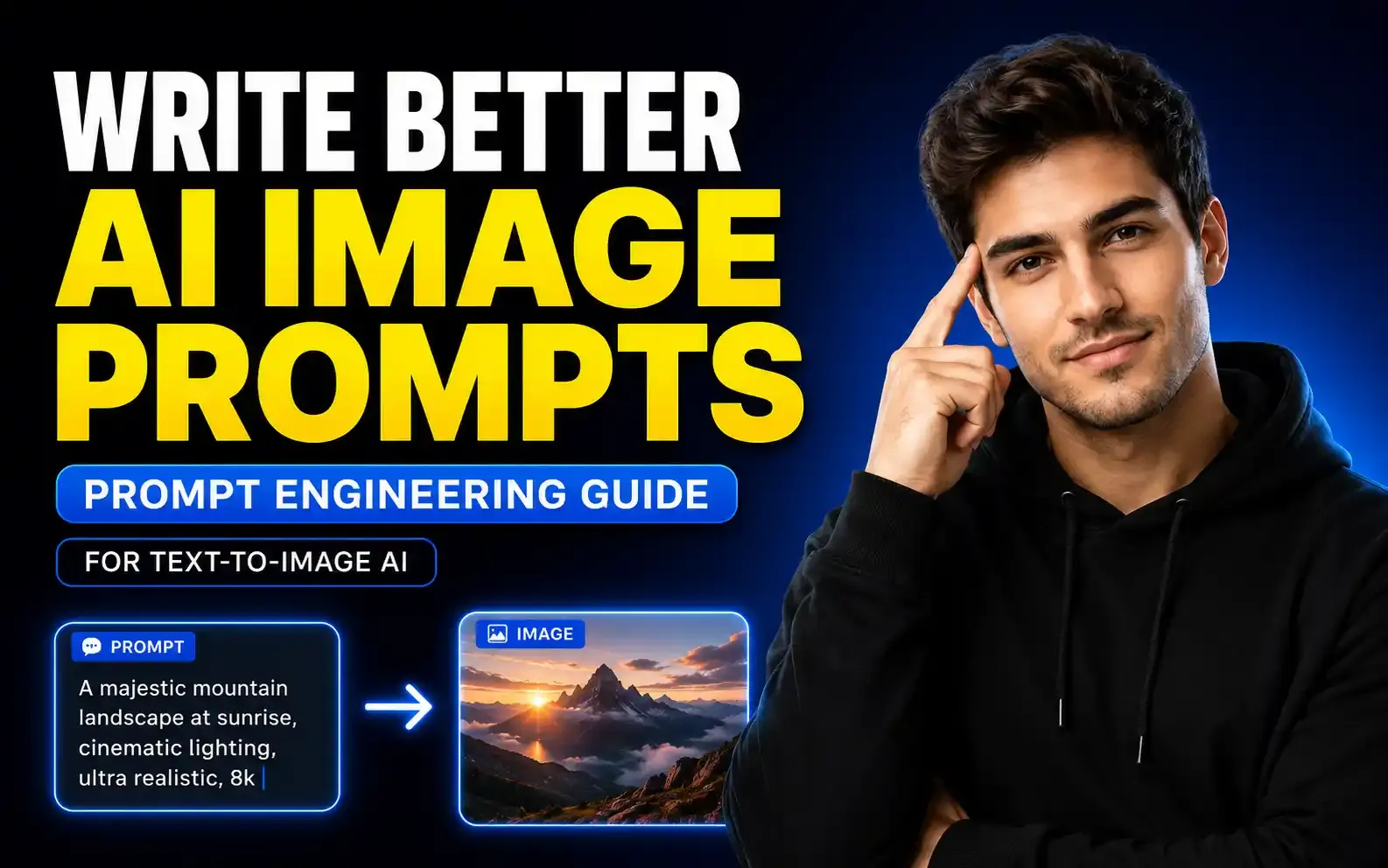
A beginner-friendly guide to writing better AI image prompts for Midjourney, DALL-E, Stable Diffusion, and other AI image generators.
How to Write Better AI Image Prompts: Complete Prompt Engineering Guide for Text-to-Image AI
Table of Contents
- Introduction
- What Is AI Image Prompt Engineering?
- Why Prompt Engineering Matters for AI Images
- Start With the Intention of the Image
- Step 1: Define the Main Subject
- Examples of Better Subject Details
- Step 2: Add Action and Interaction
- Why Action Matters
- Step 3: Use Lighting to Control Mood
- Step 4: Choose the Camera Lens
- Step 5: Select the Camera Angle
- Step 6: Add Style and Medium
- Step 7: Add Aspect Ratio and Resolution
- Example: Basic Prompt vs Better Prompt
- Basic Prompt
- Improved Prompt
- Use ChatGPT or Gemini to Improve Your AI Image Prompts
- Prompt Helper Template
- Use Prompt Inspiration Websites
- What Are Negative Prompts?
- What Is Prompt Weight?
- What Is a Seed Number?
- Use Dashes and Brackets for Better Prompt Structure
- Midjourney Prompt Parameters to Try
- Aspect Ratio
- No Parameter
- Repeat
- Chaos
- Stylize
- Final Prompt Example
- Common AI Image Prompt Mistakes
- Best AI Image Prompt Formula
- Final Thoughts
Introduction
AI image generators are powerful, but many beginners feel disappointed when the results do not match what they imagined. You type a simple prompt like “a dog sitting by a lake,” and the AI gives you an image that is technically correct but visually flat, boring, or not useful for your project.
This is where prompt engineering becomes important.
Prompt engineering is the skill of writing clear, detailed, and creative instructions for AI tools so they can produce better results. In text-to-image AI, a good prompt can turn a basic idea into a professional-looking visual for websites, ads, product pages, social media, blogs, and creative projects.
In this guide, you will learn how to write better AI image prompts using subject details, action, lighting, camera lens, angle, style, aspect ratio, negative prompts, prompt weight, seed number, and AI tools like ChatGPT and Gemini.
What Is AI Image Prompt Engineering?
AI image prompt engineering means creating better text instructions for AI image generators. These instructions help the AI understand what you want in the final image.
A simple prompt gives simple results. For example:
“A dog sitting by a lake.”
This prompt tells the AI the subject and location, but it does not explain the mood, lighting, purpose, camera angle, style, or image quality.
A stronger prompt gives the AI more creative direction:
“A middle-aged golden retriever lying beside a calm lake during golden hour, watching birds fly across the sunset, with a warm campfire glow reflecting on its fur, cinematic wide-angle photography, eye-level perspective, peaceful camping atmosphere, hyperrealistic, 16:9 aspect ratio.”
Both prompts can create a dog by a lake, but the second prompt gives the AI much better guidance.
Why Prompt Engineering Matters for AI Images
AI image generators do not ask follow-up questions. They simply create what you ask for. If your prompt is vague, the result will also be vague.
Prompt engineering helps you:
- Get more accurate images
- Save time and credits
- Create better website visuals
- Improve product images
- Control mood and atmosphere
- Create consistent design styles
- Reduce unwanted elements
- Make images more professional
This is useful for bloggers, designers, e-commerce store owners, social media creators, AI artists, and anyone using text-to-image tools.
Start With the Intention of the Image
Before writing any prompt, ask yourself one important question:
“What is this image for?”
Your image purpose decides the prompt style. For example, a camping website banner needs a peaceful, warm, inviting image. A horror poster needs dark, mysterious, creepy visuals. A product ad needs clean composition and strong focus.
You should also ask:
- What should the viewer feel?
- Where will the image be used?
- What is the main subject?
- What style should it have?
- What size or aspect ratio do I need?
For example, if you are creating an image for a camping supply website, you may want the audience to feel calm, peaceful, relaxed, and excited to visit the outdoors.
That intention should guide your prompt.
Step 1: Define the Main Subject
The subject is the main focus of your image. It could be a person, animal, product, object, place, or character.
Instead of writing “a dog,” be more specific.
Weak subject:
“A dog.”
Better subject:
“A middle-aged golden retriever.”
Even better:
“A middle-aged scruffy golden retriever with soft golden fur and a calm expression.”
Specificity helps the AI create a more controlled and visually useful image.
Examples of Better Subject Details
You can describe:
- Age
- Breed
- Clothing
- Expression
- Color
- Size
- Texture
- Personality
- Mood
- Body posture
For example:
“A peaceful golden retriever lying lazily beside a lake.”
This already gives the AI more direction than simply writing “a dog.”
Step 2: Add Action and Interaction
A strong AI image prompt should not only describe the subject. It should also describe what the subject is doing.
Even if the subject is still, it should interact with the environment in some way.
Weak action:
“A dog by a lake.”
Better action:
“A golden retriever lying beside a calm lake, watching birds fly across the sunset.”
This makes the image feel more alive and story-driven.
Why Action Matters
Action helps the AI understand:
- Pose
- Body position
- Relationship with the environment
- Scene composition
- Storytelling
- Emotion
For website banners, blog thumbnails, posters, and social media visuals, this can make the image much more engaging.
Step 3: Use Lighting to Control Mood
Lighting is one of the most important parts of an AI image prompt. It affects mood, atmosphere, warmth, texture, realism, and focus.
Many beginners forget lighting, which is why their images often look flat.
For a peaceful camping scene, you can use lighting terms like:
- Golden hour
- Warm campfire glow
- Soft sunlight
- Backlit sunset
- Diffused light
- Cinematic lighting
- Soft shadows
- Warm ambient light
Example:
“A smoldering campfire sits beside the dog, casting a warm orange glow across its fur during golden hour.”
This gives the AI a clear lighting direction.
Step 4: Choose the Camera Lens
Camera lens details can dramatically change the final image. Many users skip this part, but it can make your prompt look much more professional.
For example:
- Wide-angle lens creates a larger landscape view
- Macro lens creates close-up details
- Fisheye lens creates a distorted creative look
- Telephoto lens compresses the background
- 85mm lens is great for portraits
- 35mm lens is useful for lifestyle photography
For a camping website banner, a wide-angle lens is a good choice because it captures the landscape and makes the scene feel open.
Example:
“Captured with a wide-angle lens to show the lake, campsite, forest, and sunset.”
Step 5: Select the Camera Angle
Camera angle controls how the viewer sees the subject.
Common camera angles include:
- Eye-level perspective
- Low-angle shot
- High-angle shot
- Top-down view
- Close-up
- Wide shot
- Over-the-shoulder shot
For a calm lifestyle image, eye-level perspective works well because it feels natural and relatable.
Example:
“Eye-level perspective, as if the viewer is sitting at the campsite.”
This helps the audience feel like they are part of the scene.
Step 6: Add Style and Medium
Style tells the AI how the image should look. You can choose realistic, cinematic, cartoon, watercolor, oil painting, anime, comic book, digital art, editorial photography, or many other styles.
Examples:
- Hyperrealistic photography
- Cinematic landscape photo
- Digital illustration
- Cozy storybook style
- Vintage poster art
- Oil painting
- Minimal vector illustration
- High-end product photography
For commercial use, be careful when using the names of living artists. It is better to describe the style using general terms instead of copying a specific living artist’s style.
Better:
“Soft impressionist-inspired landscape painting.”
Avoid using living artists’ names for commercial work.
Step 7: Add Aspect Ratio and Resolution
Aspect ratio controls the shape of your image. This is important because different platforms need different sizes.
Common aspect ratios:
- 1:1 for square posts
- 4:5 for Instagram portraits
- 9:16 for stories and reels
- 16:9 for website banners and YouTube thumbnails
- 3:2 for photography
- 2:3 for posters
For a camping website banner, 16:9 is a good choice.
Example:
“--ar 16:9”
For Midjourney, aspect ratio is commonly added at the end of the prompt.
Example: Basic Prompt vs Better Prompt
Basic Prompt
“A dog sitting by a lake.”
Improved Prompt
“A middle-aged golden retriever lying beside a calm lake, watching birds fly across the sunset during golden hour. A smoldering campfire sits to the left, casting a warm glow across the dog’s fur. A green camping tent sits in the foreground near the fire. Hyperrealistic wide-angle photography, eye-level perspective, peaceful outdoor camping atmosphere, soft cinematic lighting, --ar 16:9.”
The improved prompt gives the AI more information about subject, mood, lighting, camera, environment, and composition.
Use ChatGPT or Gemini to Improve Your AI Image Prompts
You do not have to write every prompt manually. You can use AI tools like ChatGPT or Gemini to improve your prompts.
You can ask them to act as a professional prompt engineer.
Prompt Helper Template
“You will act as my professional prompt engineer for an AI image generator. I am creating an image for my business website. I need an image that feels peaceful, beautiful, calm, and realistic. My basic idea is: a dog sitting by a lake. Please create three improved prompt variations with detailed subject description, lighting, camera angle, lens, environment, mood, style, and aspect ratio.”
This helps you generate multiple prompt options quickly.
You can then copy the best prompt into Midjourney, DALL-E, Stable Diffusion, or another AI image generator.
Use Prompt Inspiration Websites
Prompt inspiration websites can help you learn how other users write successful prompts.
One useful method is to search for images similar to what you want and study the prompts used to create them.
Look for:
- Lighting terms
- Camera terms
- Style words
- Composition structure
- Subject details
- Aspect ratio
- Negative prompts
- Prompt formatting
This helps you improve your own prompt writing faster.
What Are Negative Prompts?
Negative prompts tell the AI what you do not want in the image.
For example, if you want a calm and warm camping scene, you may want to avoid:
- Cold
- Dark
- Scary
- Creepy
- Ominous
- Depressing
- Blurry
- Low quality
- Extra limbs
- Distorted face
In Stable Diffusion, there is usually a separate negative prompt field. In Midjourney, you can use:
“--no cold, scary, dark, blurry, distorted”
Negative prompts help reduce unwanted elements and improve the final result.
What Is Prompt Weight?
Prompt weight controls how strongly the AI follows your prompt.
If the prompt weight is too low, the AI may become too creative and ignore important details. If the prompt weight is too high, the AI may follow the prompt too literally and reduce creative variation.
A balanced prompt weight gives the AI enough freedom while still following your instructions.
Prompt weight is useful when you want better control over:
- Subject accuracy
- Style accuracy
- Composition
- Color
- Mood
- Important objects
Different AI tools use different names for this setting, such as prompt strength, guidance scale, or prompt adherence.
What Is a Seed Number?
A seed number is a value used by the AI to create image variations. If you use the same seed number with the same prompt and settings, the result can be similar or sometimes nearly identical.
Seed numbers are useful when:
- You like an image but want small changes
- You want consistent variations
- You want to recreate a previous result
- You want to test small prompt edits
Changing one part of the prompt while keeping the same seed can help you compare results more clearly.
Use Dashes and Brackets for Better Prompt Structure
Advanced prompt writers often use symbols like dashes and brackets to guide AI tools.
Dashes can help separate ideas.
Example:
“quiet lakeside campsite -- lush pine forest in the background -- warm golden hour lighting -- wide-angle lens --ar 16:9”
Brackets can help emphasize important words.
Example:
“A calm lake during [golden hour], peaceful camping mood, warm light, soft shadows.”
Use brackets carefully. Too many emphasized words can confuse the AI.
Midjourney Prompt Parameters to Try
If you use Midjourney, there are several useful parameters you can test.
Aspect Ratio
Use this to control image size:
“--ar 16:9”
No Parameter
Use this to remove unwanted elements:
“--no blurry, dark, scary, distorted”
Repeat
Use this to generate multiple results:
“--repeat 7”
Chaos
Use this to create more variety:
“--chaos 50”
Higher chaos creates more unexpected results. Lower chaos keeps images closer to the prompt.
Stylize
Use this to control how artistic the image feels:
“--stylize 250”
You can experiment with these settings to get different creative results.
Final Prompt Example
Here is a complete AI image prompt based on the camping dog example:
“A middle-aged golden retriever lying beside a calm lake, watching birds fly across the sunset during [golden hour]. A smoldering campfire sits to the left, casting a warm orange glow across the dog’s fur. A green camping tent sits in the foreground near the fire. Peaceful outdoor camping atmosphere, hyperrealistic photography, eye-level perspective, wide-angle lens, soft cinematic lighting, warm colors, detailed natural landscape --ar 16:9 --no dark, scary, blurry, distorted.”
This prompt is much stronger than “a dog sitting by a lake” because it includes intention, subject, action, environment, lighting, style, camera perspective, aspect ratio, and negative prompts.
Common AI Image Prompt Mistakes
Many beginners make the same mistakes when writing prompts.
Avoid these:
- Writing prompts that are too short
- Forgetting lighting
- Forgetting aspect ratio
- Not describing the subject clearly
- Not adding camera angle or lens
- Using too many random adjectives
- Making the prompt too long and confusing
- Not using negative prompts
- Expecting perfect results from one generation
- Copying living artists’ styles for commercial use
The goal is not to write the longest prompt. The goal is to write the clearest prompt.
Best AI Image Prompt Formula
Here is a simple formula you can use:
Subject + Description + Action + Environment + Mood + Lighting + Camera Angle + Lens + Style + Aspect Ratio + Negative Prompt
Example:
“Golden retriever + middle-aged and calm + lying by a lake + camping scene + peaceful mood + golden hour + eye-level + wide-angle lens + hyperrealistic photography + 16:9 + no blurry or scary elements.”
This formula works for many types of AI image prompts.
Final Thoughts
AI image prompt engineering is not about using fancy words. It is about clearly communicating your creative vision to the AI.
A simple prompt may give you a basic image, but a well-structured prompt can create a professional visual that matches your goal much more closely.
To write better AI image prompts, start with your intention, describe the subject clearly, add action, choose lighting, select a lens and camera angle, define the style, set the aspect ratio, and use negative prompts when needed.
As AI image generators continue to improve, prompt engineering will become an even more valuable skill for creators, designers, marketers, and business owners.
The better you communicate with AI, the better your images will become.
Frequently Asked Questions
What is AI image prompt engineering?
AI image prompt engineering is the process of writing clear and detailed instructions for AI image generators so they can create better and more accurate images.
How do I write a good AI image prompt?
A good AI image prompt should include the subject, description, action, environment, mood, lighting, camera angle, lens, style, aspect ratio, and negative prompts.
Why are my AI images not matching my idea?
Your prompt may be too vague. AI image generators need specific details about subject, lighting, mood, style, camera angle, and composition to create accurate results.
What is a negative prompt in AI image generation?
A negative prompt tells the AI what not to include in the image, such as blurry details, distorted faces, dark mood, extra limbs, or unwanted objects.
Can ChatGPT help me write AI image prompts?
Yes, ChatGPT can help you improve basic ideas into detailed AI image prompts for tools like Midjourney, DALL-E, Stable Diffusion, and other AI image generators.
Which aspect ratio should I use for AI images?
It depends on where you will use the image. Use 16:9 for website banners and YouTube thumbnails, 4:5 for Instagram posts, 9:16 for stories and reels, and 1:1 for square posts.