ChatGPT Premium Pixel Stretch Digital Artwork Prompt
AI Tool: ChatGPT
ChatGPT Premium Pixel Stretch Digital Artwork Prompt
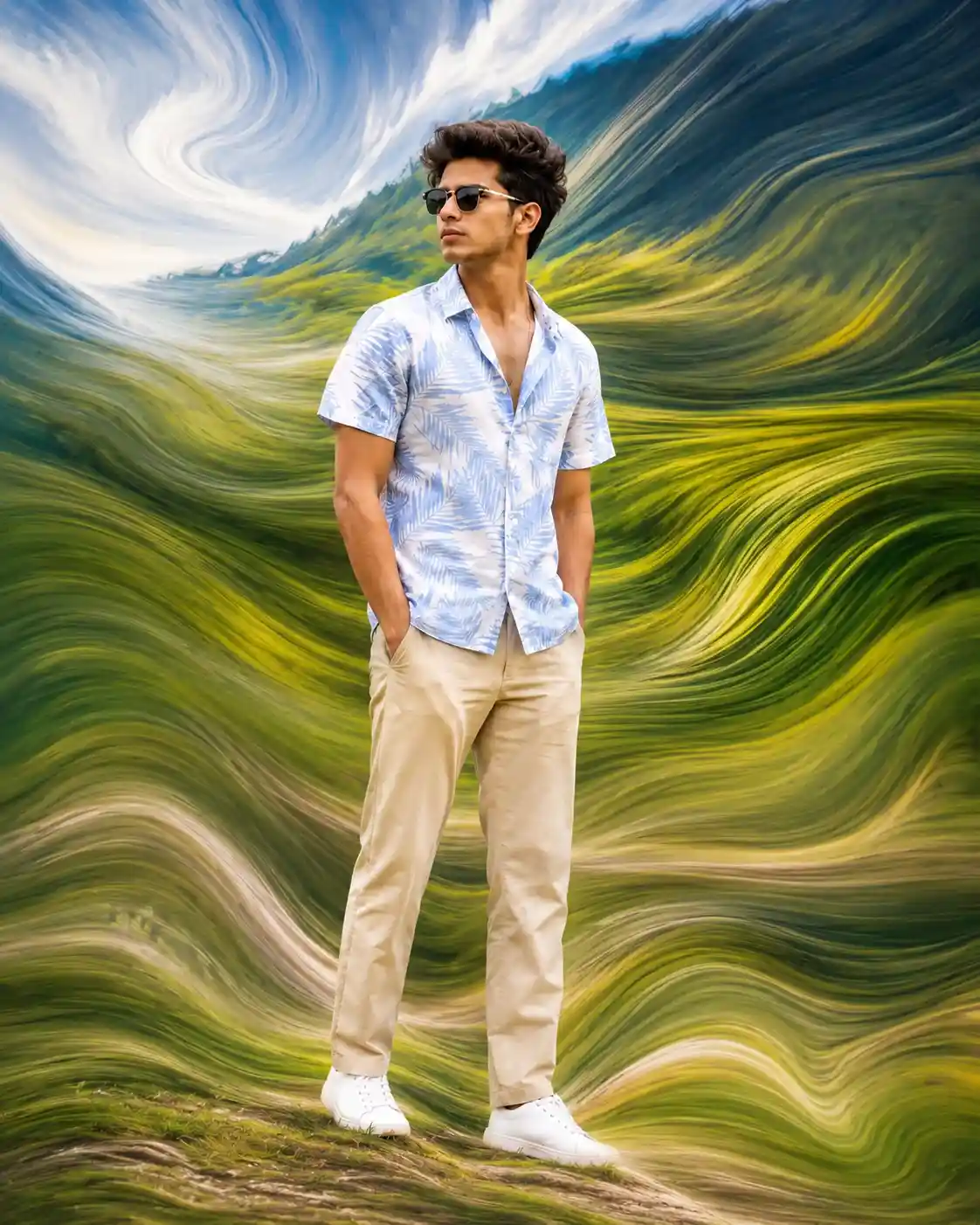
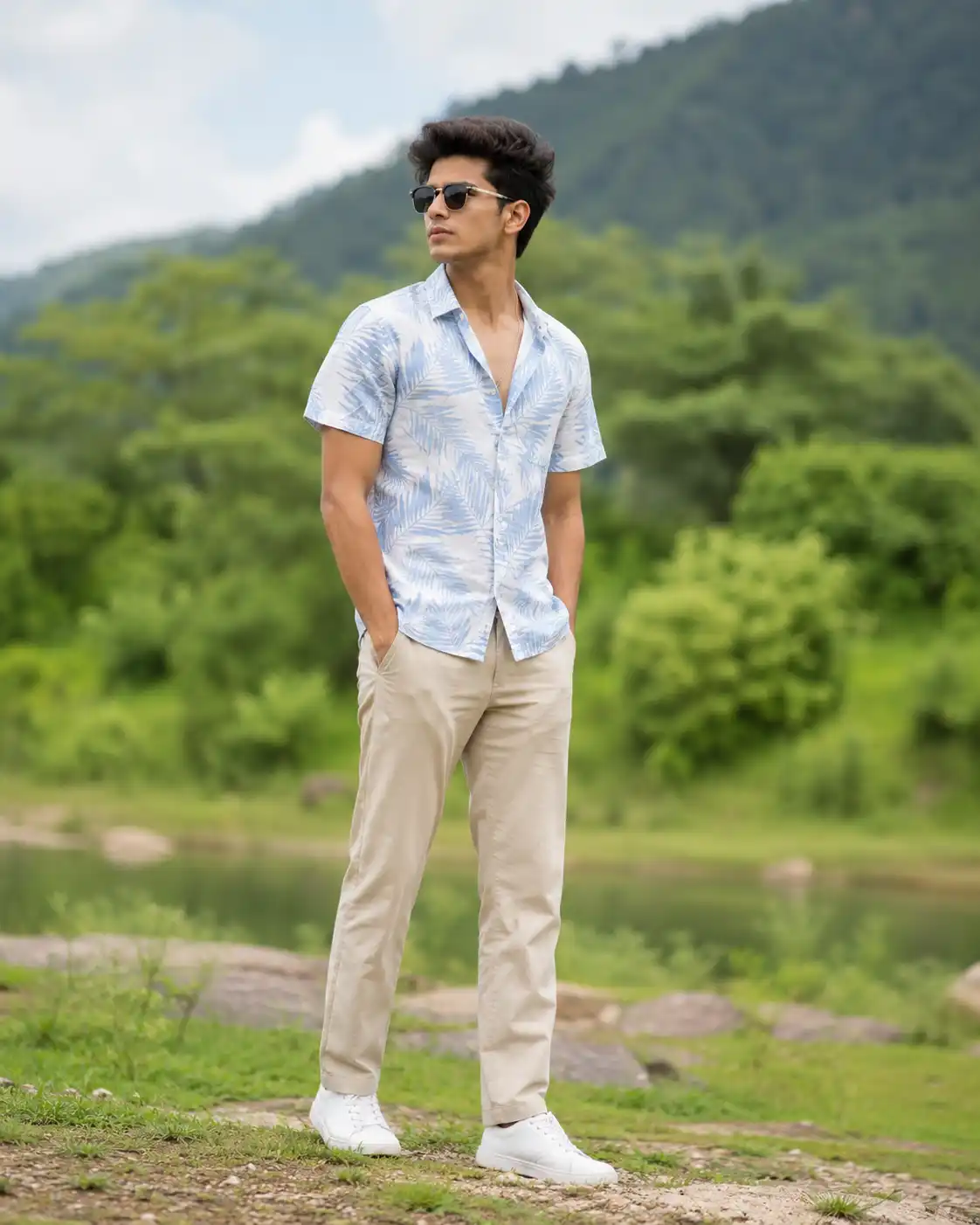
Create a bold, premium, and visually stunning image using this ChatGPT image prompt. This prompt is designed to transform an uploaded portrait or lifestyle photo into a premium pixel stretch digital artwork while preserving the subject’s face, identity, silhouette lighting, body proportions, and overall composition with high accuracy.
This pixel stretch artwork prompt focuses on keeping the main subject crystal clear and perfectly recognizable while the surrounding environment transforms into smooth, elegant, flowing ribbons of stretched pixels. Instead of creating broken or harsh digital distortion, the stretched effect is designed to feel luxurious, organic, silky, and cinematic — like streams of color, motion, light, smoke, paint, or abstract energy moving through the scene.
Why This ChatGPT Prompt Works Well
This ChatGPT prompt works especially well because it balances realism and abstraction in a very premium way. The subject remains untouched and sharply focused, which helps maintain emotional connection, facial recognizability, and visual clarity. At the same time, the background, atmosphere, and surrounding details are artistically extended outward into flowing motion trails, creating a stylish and gallery-worthy transformation.
The effect is inspired by the Adobe Photoshop pixel stretch look, but elevated with a more polished and cinematic aesthetic. Smooth transitions, flowing curves, natural lighting, and soft motion energy make the image feel modern and luxurious rather than overly edited or glitchy. This makes the final result ideal for high-end portrait edits, premium content creation, Instagram posts, prompt galleries, and visual branding.
Best For
ChatGPT image generation
Pixel stretch photo edits
Premium digital artwork creation
Creative portrait transformations
Luxury social media visuals
Cinematic motion effect portraits
Abstract flowing ribbon artwork
Identity-preserved photo art
Photoshop-inspired pixel stretch effects
Prompt gallery content
Tags
- ChatGPT prompt
- ChatGPT image prompt
- pixel stretch prompt
- digital artwork prompt
- premium portrait edit prompt
- abstract motion effect prompt
- flowing pixel art prompt
- cinematic portrait prompt
- identity preservation prompt
- photoshop pixel stretch prompt
- liquid motion blur prompt
- creative photo transformation prompt
- luxury digital art prompt
- social media artwork prompt
- 4:5 portrait prompt
Frequently Asked Questions
- What does this ChatGPT prompt create?
- This ChatGPT prompt creates a premium pixel stretch digital artwork where the subject remains sharp and recognizable while the environment transforms into flowing abstract ribbons of stretched color and motion.
- Can I use my own photo with this ChatGPT image prompt?
- Yes, this prompt is designed for uploaded reference images and focuses on preserving the same face, hairstyle, skin tone, body proportions, and overall identity.
- What style does this prompt follow?
- It follows a premium pixel stretch digital art style inspired by Adobe Photoshop effects, with flowing light trails, liquid motion blur, abstract energy waves, cinematic contrast, and luxury editorial finishing.
- Is this prompt good for Instagram or social media content?
- Yes, this pixel stretch digital artwork prompt is ideal for Instagram posts, prompt galleries, portfolio visuals, premium branding content, and high-end social media artwork.
- Does the final image still preserve the person’s face?
- Yes, the prompt clearly instructs ChatGPT to keep the main subject untouched, crystal clear, and fully recognizable while only the surrounding environment transforms into artistic pixel-stretch motion.
- What aspect ratio works best for this prompt?
- A 4:5 vertical portrait ratio works best for Instagram posts, Pinterest images, prompt gallery pages, and premium portrait presentations.
About This Prompt
This is a professionally engineered AI prompt from the PromptKing library, designed for use with ChatGPT such as ChatGPT, Midjourney, Google Gemini, and Claude. Copy this prompt instantly and use it to generate high-quality AI output. PromptKing offers a hand-tested library of free and premium AI prompts for creators, developers, and marketers.