Bhagwat Geeta Prompt for Divine AI Photo Editing Portrait 2026
AI Tool: ChatGPT
Bhagwat Geeta AI Photo Editing Prompt for Divine Portraits
The Bhagwat Geeta prompt is a powerful AI photo editing prompt made for users who want to transform a normal portrait into a divine, cinematic, and spiritual artwork inspired by the sacred wisdom of the Bhagavad Gita. This prompt is designed for ChatGPT, Gemini, Nano Banana, and other AI image editing tools where users upload their own photo and want the same face, hairstyle, skin tone, age, expression, and natural identity preserved.
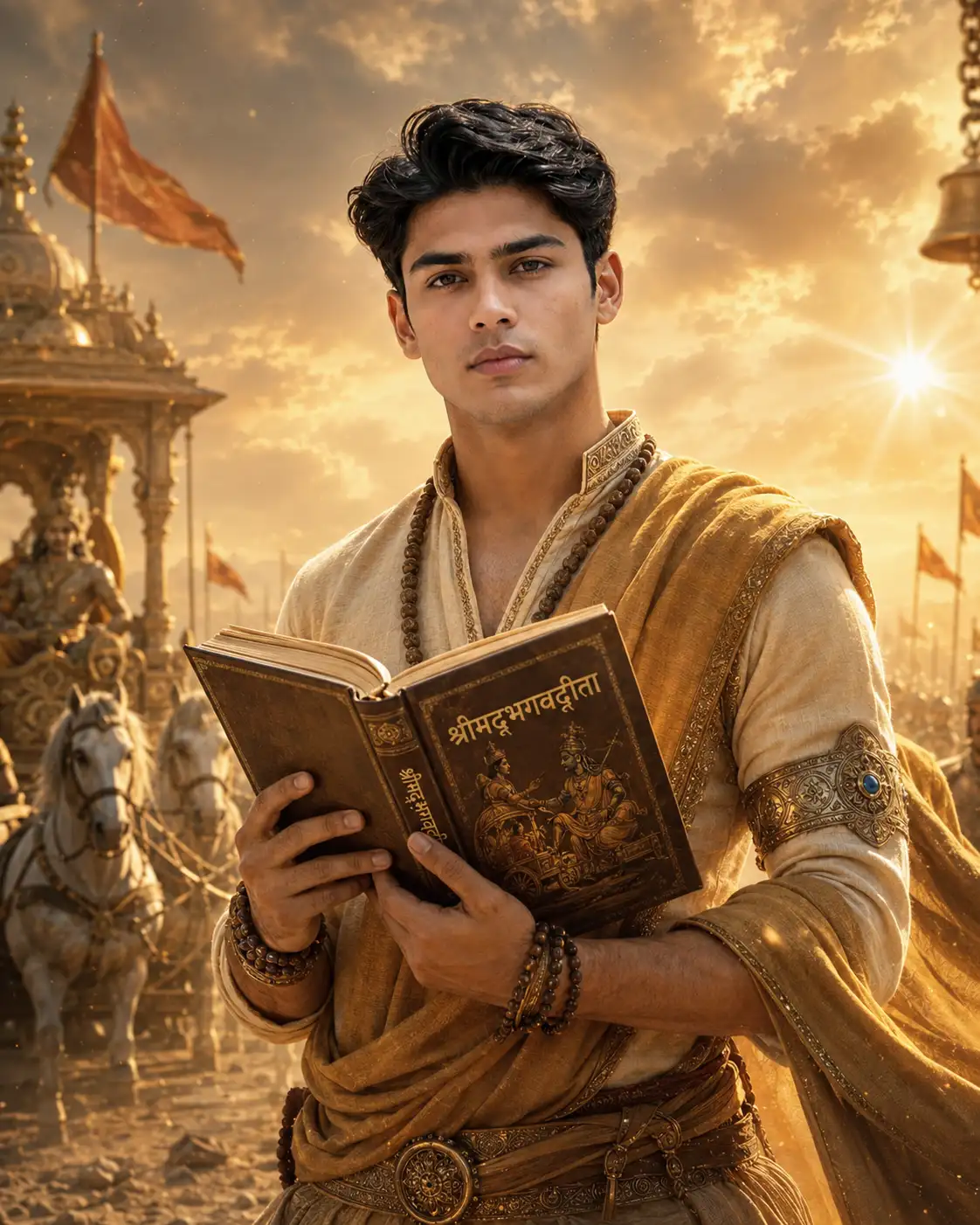
With this prompt, a simple portrait can become a premium devotional image with golden sunrise light, ancient Indian royal-warrior styling, an open Bhagavad Gita book, sacred beads, temple flags, chariot background, and a peaceful Kurukshetra battlefield atmosphere. The final result looks emotional, realistic, respectful, and perfect for social media, devotional posters, reels covers, profile photos, and personal-brand visuals.
Quick Answer
This Bhagwat Geeta AI photo editing prompt helps users create a divine spiritual portrait while keeping the uploaded person’s identity highly similar. It adds royal Indian warrior clothing, glowing Bhagavad Gita book light, golden cinematic atmosphere, Kurukshetra-inspired background, chariot, horses, temple flags, and a peaceful devotional mood.
What Is a Bhagwat Geeta AI Photo Editing Prompt?
A Bhagwat Geeta AI photo editing prompt is a ready-to-copy instruction that tells an AI image tool how to transform a person’s uploaded image into a divine Bhagavad Gita inspired portrait. Instead of creating a random spiritual image, this prompt focuses on identity preservation. It guides the AI to keep the same recognizable face, hairstyle, skin tone, body structure, age, gender, and natural expression.
This makes the prompt useful for people who want a personal devotional edit, not a generic AI-generated model. The scene is inspired by the spiritual atmosphere of the Bhagavad Gita, with warm golden light, sacred battlefield energy, and peaceful divine storytelling.
Why This Prompt Is Special
Many simple spiritual prompts only say things like “make a Bhagavad Gita photo” or “create a divine portrait.” Those basic prompts often produce random results, change the face, or create an unrealistic background.
This PromptKing-style prompt is more detailed and practical. It includes face preservation, outfit styling, background direction, lighting details, pose, book glow, camera style, and negative prompt instructions. These details help the AI create a cleaner, more realistic, and more premium result.
| Feature | What You Get |
|---|---|
| Identity Preservation | Keeps the uploaded person’s face, hairstyle, skin tone, and natural look highly similar. |
| Divine Theme | Creates a golden Bhagavad Gita inspired spiritual portrait with royal Indian styling. |
| Cinematic Background | Adds Kurukshetra battlefield atmosphere, sunrise, chariot, flags, horses, and divine light. |
| Premium Details | Includes sacred beads, embroidered outfit, glowing book, realistic hands, and professional lighting. |
| Social Media Ready | Works well for Instagram posts, profile photos, reels covers, and devotional creatives. |
Main Visual Concept
The final image shows the same uploaded person standing in a sacred Kurukshetra-inspired battlefield during golden sunrise. The person looks calm, brave, fearless, spiritually awakened, and deeply focused. They are holding an open Bhagavad Gita book close to the chest, and the glowing pages softly illuminate the hands, face, outfit, and chest.
The background includes a majestic ancient chariot, soft silhouettes of horses, temple flags, sacred architecture, bells, floating dust particles, golden sun rays, and a peaceful divine aura inspired by Lord Krishna’s guidance. The complete image feels inspirational, devotional, cinematic, and emotionally powerful.
Best Use Cases
Devotional Profile Portrait
Users can upload a clear selfie or portrait and create a divine profile picture with a spiritual Bhagwat Geeta look. This is useful for devotional pages, personal accounts, and spiritual creators.
Instagram Post and Reels Cover
The golden cinematic style makes this prompt perfect for Instagram posts, reels covers, motivational quote graphics, and spiritual storytelling content.
Festival and Spiritual Creative
This prompt can be used for Janmashtami, Gita Jayanti, spiritual awareness posts, devotional posters, and Indian cultural design concepts.
AI Prompt Selling Website
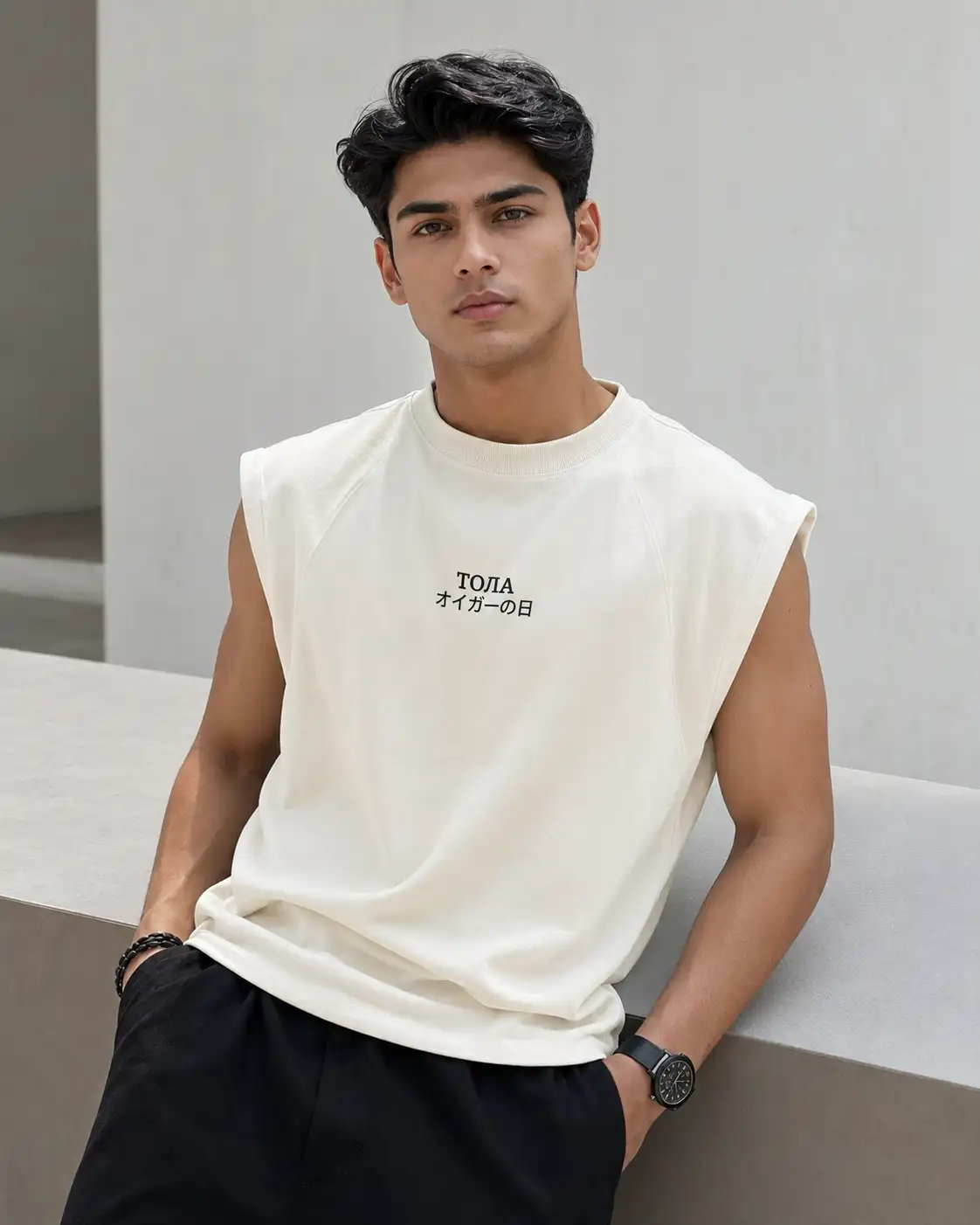
Prompt sellers can use this concept as a premium before-and-after prompt example. The transformation from a normal photo to a divine spiritual portrait has strong visual appeal and high click value.
Benefits of Using This Bhagwat Geeta Prompt
| Benefit | Why It Helps |
| Face Preservation | The prompt clearly asks the AI to keep the uploaded person’s real face and identity. |
| Premium Spiritual Look | Golden lighting, royal clothing, and sacred background create a high-value devotional portrait. |
| Better AI Control | Detailed scene instructions reduce random results and improve image quality. |
| Tool Flexibility | Works well with ChatGPT, Gemini, Nano Banana, and other AI editing tools. |
| Ready to Copy | Users can paste the prompt directly without writing complex instructions. |
PromptKing vs Generic Prompt Style
| Feature | Generic Prompt | PromptKing Prompt |
| Face Similarity | Often changes identity | Strong identity preservation instructions |
| Scene Quality | Basic background | Kurukshetra battlefield, chariot, flags, sunlight, divine aura |
| Outfit Detail | Simple clothing idea | Royal-warrior spiritual outfit with embroidery and beads |
| Lighting | Random lighting | Golden sunrise, book glow, cinematic shadows |
| Usability | Needs editing | Ready to copy and use |
How to Use This Prompt
Step 1: Upload a Clear Portrait
Choose a clean front-facing or half-body photo. The face should be sharp, visible, and not heavily filtered. Avoid blurry images, sunglasses, dark lighting, or photos where the face is hidden.
Step 2: Copy the Prompt
Copy the full Bhagwat Geeta prompt and paste it into ChatGPT, Gemini, Nano Banana, or your preferred AI image editing tool.
Step 3: Keep the Identity Lines
Do not remove the face-preservation instructions. These lines help the AI keep the same face, hairstyle, skin tone, age, gender, and natural identity.
Step 4: Generate the Image
Generate the image in a 4:5 vertical portrait format. This size is ideal for Instagram posts, prompt showcase images, and devotional portrait edits.
Step 5: Refine If Needed
If the face changes too much, regenerate with stronger wording like “keep the face 100% similar to the uploaded reference image.” If the background is too busy, ask for a cleaner cinematic devotional background.
Tags
- Bhagwat Geeta prompt
- Bhagwat Geeta AI Photo Editing Prompt
- chatgpt prompts
- gemini prompts
- nano banana prompt
- ai photo editing prompt
- spiritual portrait prompt
- divine ai portrait
Frequently Asked Questions
- What is a Bhagwat Geeta AI Photo Editing Prompt?
- It is a ready-made AI prompt that helps transform an uploaded portrait into a divine Bhagavad Gita inspired cinematic image with spiritual clothing, golden lighting, sacred background, and identity preservation.
- Can I use this prompt in ChatGPT?
- Yes, you can use this prompt in ChatGPT image editing tools. Upload your photo first, then paste the prompt and ask the AI to preserve your face and identity.
- Does this prompt work with Gemini and Nano Banana?
- Yes, this prompt is written in a detailed style that can work with Gemini, Nano Banana, ChatGPT, and many other AI image generation or photo editing tools.
- Will the AI keep the same face from the uploaded photo?
- The prompt includes strong face-preservation instructions, but final results depend on the AI tool. For best results, use a clear face photo and regenerate if the face changes too much.
- What type of image is best for this prompt?
- A clear front-facing portrait, half-body photo, or clean fashion photo works best. Avoid blurry images, dark photos, sunglasses, or heavily edited selfies.
- Can I use this prompt for Instagram posts?
- Yes, the prompt is ideal for Instagram posts, reels covers, profile photos, devotional creatives, spiritual posters, and festival-themed AI edits.
About This Prompt
This is a professionally engineered AI prompt from the PromptKing library, designed for use with ChatGPT such as ChatGPT, Midjourney, Google Gemini, and Claude. Copy this prompt instantly and use it to generate high-quality AI output. PromptKing offers a hand-tested library of free and premium AI prompts for creators, developers, and marketers.